Features Workflow · CALENDAR

Intelligent Field Task Management

Schedule, track, and manage all farm work with precision. Monitor progress and costs with detailed reporting for complete operational visibility.

arloagro.com / calendar
Intelligent Field Task Management

Real operations running on Arlo

Smart Planning
Real-time Tracking
Cost Control
Features 03 · Workflow

Powerful Features for Complete Farm Management

Comprehensive Task Library

Build a library of standardized farm tasks with default pricing, units, and descriptions. Create reusable templates that ensure consistency across all operations.

  • Custom task definitions with unique codes
  • Default pricing and unit configurations
  • Bulk upload capabilities for large task libraries
  • Task filtering and search functionality
  • Unit validation and translation support
  • Task usage tracking and analytics
arloagro.com / catalog
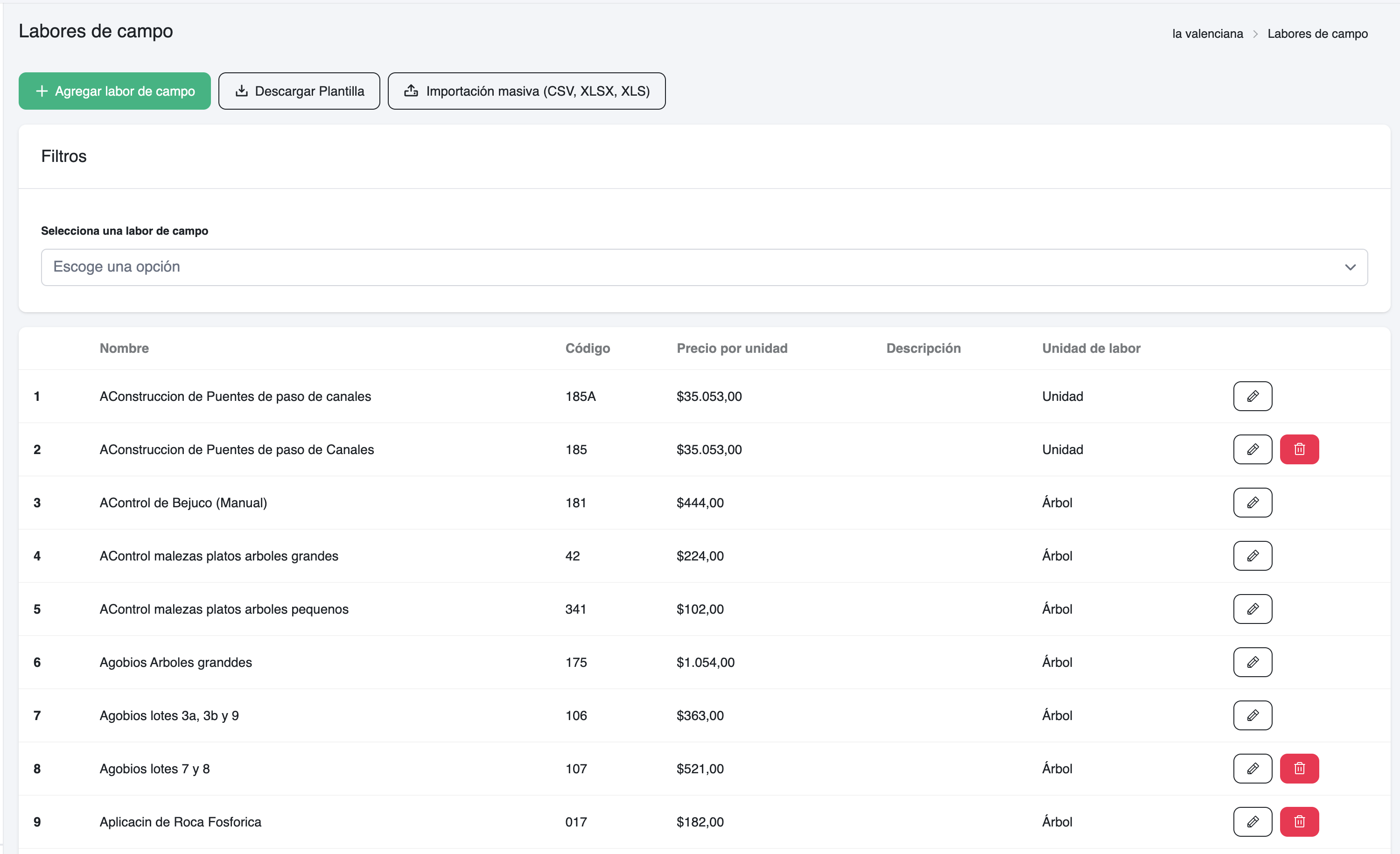
Comprehensive Task Library

Strategic Cycle Planning

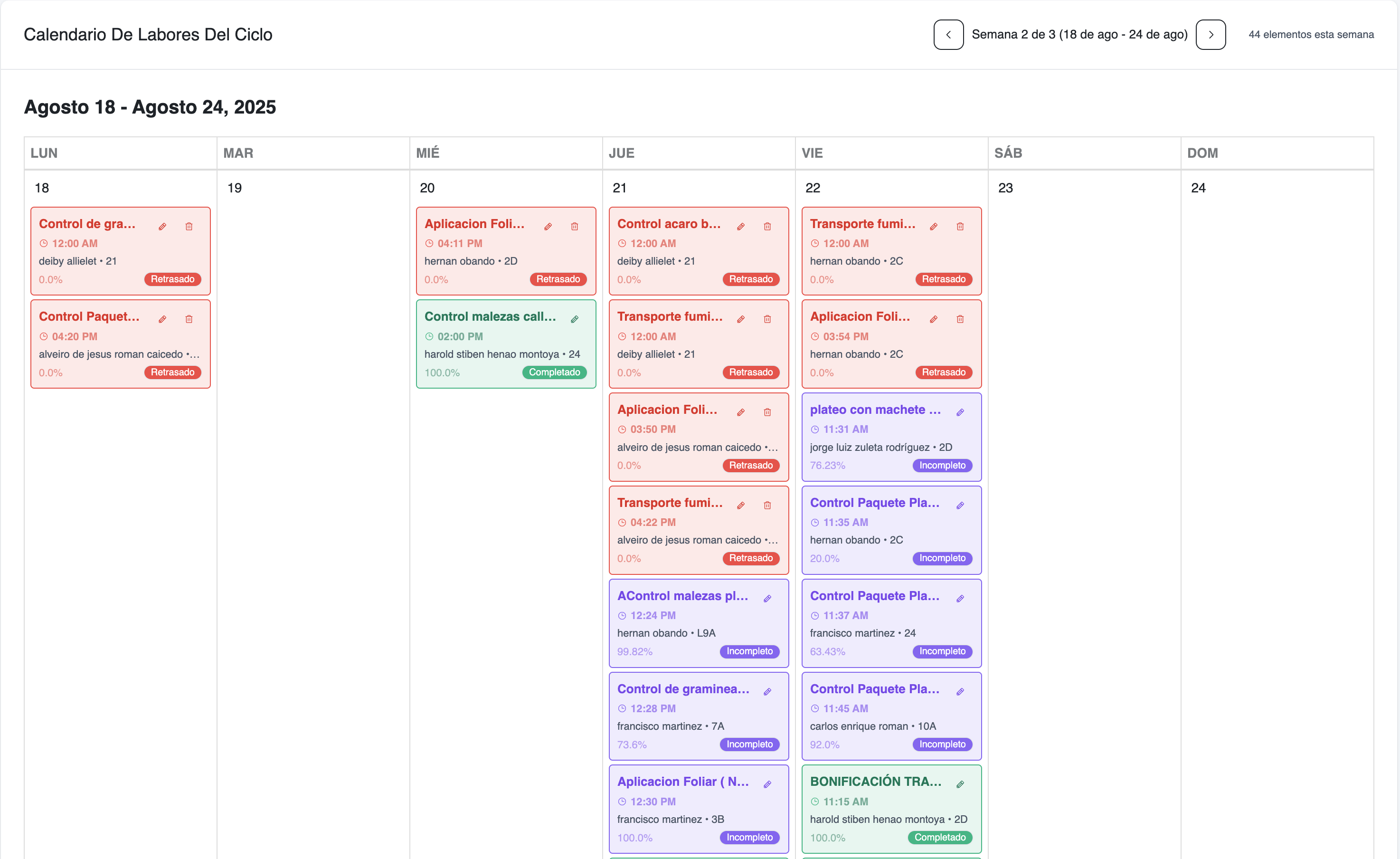
Organize work into manageable cycles with start and end dates. Plan seasonal activities and ensure all critical tasks are scheduled and tracked.

  • Configurable cycle durations
  • Automatic end date calculations
  • Multi-lot task assignments
  • Contractor workload distribution
  • Budget planning and allocation
  • Schedule optimization tools
arloagro.com / calendar
Strategic Cycle Planning

Real-time Progress Tracking

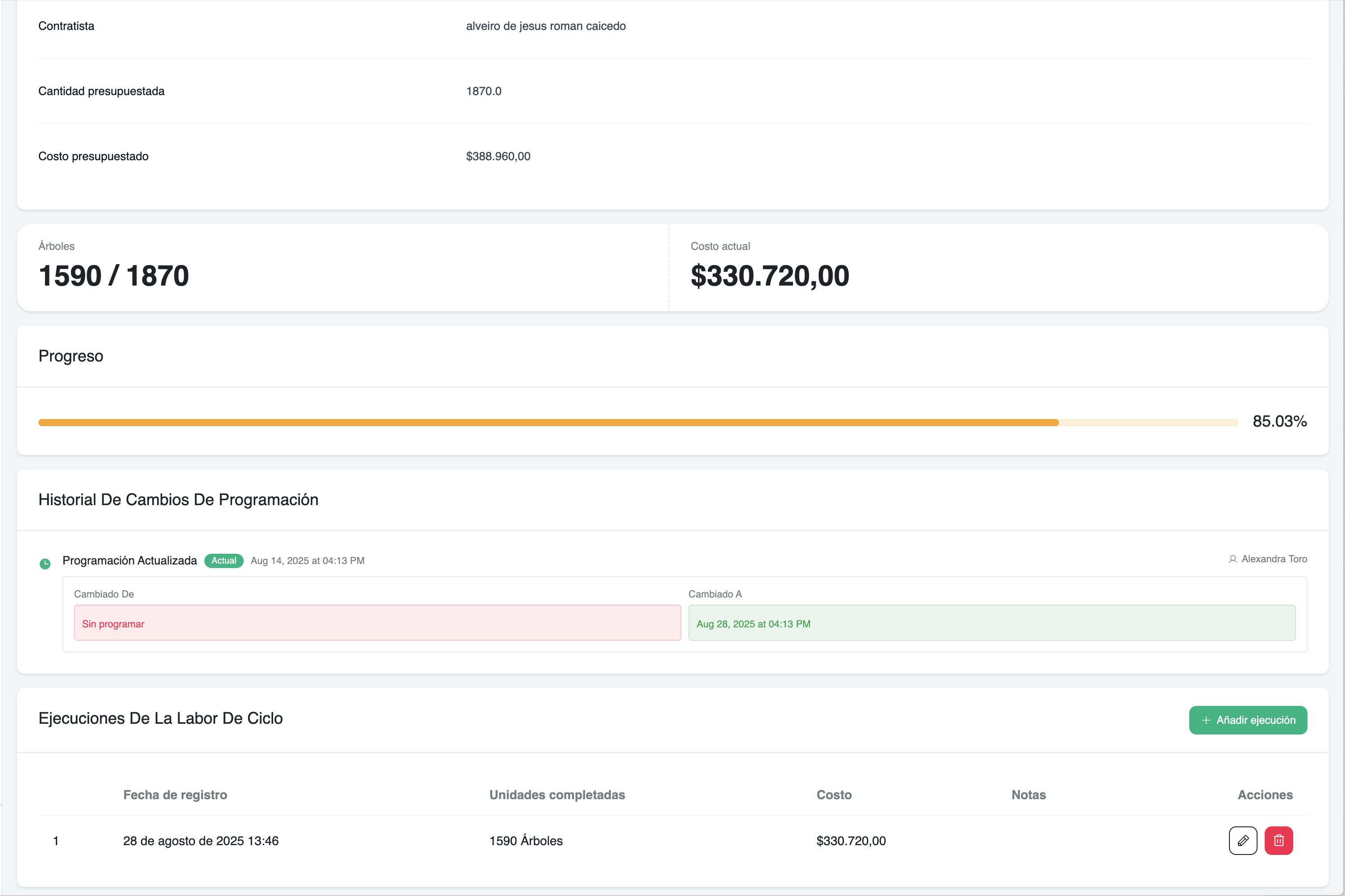
Monitor task completion with detailed logging capabilities. Track actual vs planned progress with time and cost analysis.

  • Detailed work logs with timestamps
  • Progress percentage calculations
  • Cost variance tracking
  • Calendar and table view synchronization
  • Mobile-friendly progress updates
  • Automated progress notifications
arloagro.com / progress
Real-time Progress Tracking
How Arlo closes the loop 06 · Workflow

How Field Task Management Works

Complete workflow from setup to analysis. Follow these steps to organize your farm operations effectively.

  1. Create Field Tasks

    Go to Farm → Field Tasks. Add tasks with name, code, default price, description, and task unit. Use bulk upload for importing many tasks at once.

  2. Create a Field Cycle

    Go to Farm → Field Cycles and add a new cycle. Choose start date - end date calculates automatically using your farm's configured cycle duration.

  3. Add Work to the Cycle

    On the Field Cycle page, add Cycle Field Tasks. Set contractor, field task, lot, budgeted quantity, and optional schedule date/time within cycle range.

  4. Schedule and Visualize Work

    Use the calendar to view current week within cycle window and navigate weeks. Table and calendar stay synchronized with filters and week selection.

  5. Track Progress with Logs

    Click into Cycle Field Tasks to add logs as work completes. Enter date/time, units completed, and notes. System updates actual costs and progress.

  6. Filter, Export, and Analyze

    Filter by contractor, task, lot, status. Download XLSX with detailed line items and logs, or PDF ZIP with per-contractor reports.

20 minutes · no commitment

Ready to Optimize Your Farm Operations?

Join farms already using Arlo to reduce costs, improve efficiency, and gain complete visibility into their operations.